 Swipebird
Save Instagram Reels and Posts: Find, Organize and Keep Them
Saving a post on Instagram takes one tap, but the save only lasts as long as the creator keeps the post up, and Instagram's export gives you links rather than the posts. This guide covers how saving and collections work, where to find your saves, and how to keep a copy you can search.
- Save: tap the bookmark icon below a post. For a reel, tap Options (three dots), then Save.
- Find: profile, Menu (top right), then Saved below "How you use Instagram".
- On a computer: instagram.com/your-username/saved/
How to save an Instagram post or reel
"To save a post, tap Save below it from your Instagram feed or from a profile. To save a reel, tap Options then tap Save."Instagram Help, Save posts you see on Instagram
Add it to a collection as you save
- Tap and hold Save (the bookmark icon) instead of tapping it.
- Pick a collection you already made, or tap New collection and name it.
Every saved post also appears under All posts, whichever collection you put it in.
Save from the web
On instagram.com the same bookmark icon sits under each post. Instagram's own help pages document saving for the apps, so if you rely on a computer, check the post shows up in Saved afterwards.
Where are my saved posts on Instagram?
Your saved posts are on your profile: tap Menu in the top right, then Saved. On a computer, the same page is at instagram.com/your-username/saved/.
- iPhone and AndroidProfileMenu (top right)SavedAll posts
- Computerinstagram.com/your-username/saved/opens the same Saved page
- Tap Profile or your profile picture in the bottom right.
- Tap Menu (three lines) in the top right.
- Below "How you use Instagram", tap Saved. All posts is the full list; collections sit next to it.
Can anyone see what you save? Does the creator know?
No. Instagram's help page says:
"Only you can see the posts you've saved. When you save someone's post, they're not able to tell that you've saved it."Instagram Help, Save posts you see on Instagram
Creators with professional accounts do see how many saves a post got in its insights, as a number. Never who.
The one exception is a collaborative collection, which you build with friends on purpose. Everyone in it can see and add posts.
How to organize and search your saved posts
Collections
- Open Saved from your profile menu.
- Tap New collection in the top right (the plus).
- Name it, tap Next, pick the saved posts that belong in it, then tap Save.
A tip: name collections by what you will use them for, such as Hooks to try or Carousel layouts, rather than broad topics like Marketing, which fill up fast.
Search inside Saved
Third-party guides disagree on whether the Saved page has a search field, and Instagram's help pages do not describe one. Look at the top of your Saved page. If there is no search bar, you can only scroll. Either way, it only covers Instagram: your LinkedIn saves and X bookmarks live somewhere else.
Why saved posts disappear
- The creator deleted or archived it. Your save pointed at their post, so it goes with it.
- The account went private and you do not follow it, or the account was deactivated or removed.
- You unsaved it by accident. One tap on the bookmark icon toggles it off.
- You are in another account. Saves belong to the account that made them.
Instagram keeps no copy for you. If a reel or carousel matters, keep your own record of it while it is still up: the caption, the creator and the cover image. That is exactly what the last section of this guide sets up.
What Instagram's data export contains
You can export your Instagram information from Accounts Center. On a computer, Instagram Help gives these steps:
- Click More in the bottom left, then Settings.
- Click Meta Account (or Accounts Center), then Your information and permissions.
- Click Export your information, then Create export, and pick your Instagram profile.
- Choose Export to device, pick the information, date range, format and media quality, then Start export.
Guides that tested the export, including Theodore HQ and Stashr, report that saved posts and collections come through as links with dates, not as the photos and videos. If the creator later deletes a post, its link in your export leads nowhere.
Saved page, export or swipe file: what each one gives you
| Need | Instagram Saved | Data export | Swipebird |
|---|---|---|---|
| Group posts | Collections | Collection names as data | Labels and notes |
| Search by caption words | Not in Instagram Help | No | Captions, notes and labels |
| Caption and cover kept | Only while the post is up | Links and dates | Caption and cover image |
| Survives the creator deleting it | No | Dead link | Your copy stays |
| One place with LinkedIn and X saves | No | No | Yes |
| Your AI can read it | No | No | Claude, ChatGPT, Cursor |
| Private to you | Yes | Yes | Yes |
Downloading reels the official way
Your own reels: keep the original file on your phone before you post. That copy has no Instagram watermark and is the one to reuse.
Someone else's reels: since late 2023 Instagram has offered a Download option in the share menu for reels from public accounts, as TechCrunch reported. Creators can switch it off, and downloaded reels carry a watermark with the creator's username.
We do not recommend third-party "Instagram downloader" sites. They break Instagram's terms, and reposting someone's reel without permission can infringe their copyright. If you want a post for study, saving it with a note on why it worked keeps the credit with the creator.
Keep a searchable library of everything you save
Swipebird's Chrome extension reads your Saved page on instagram.com while you are signed in and brings your whole saved history into one private library.
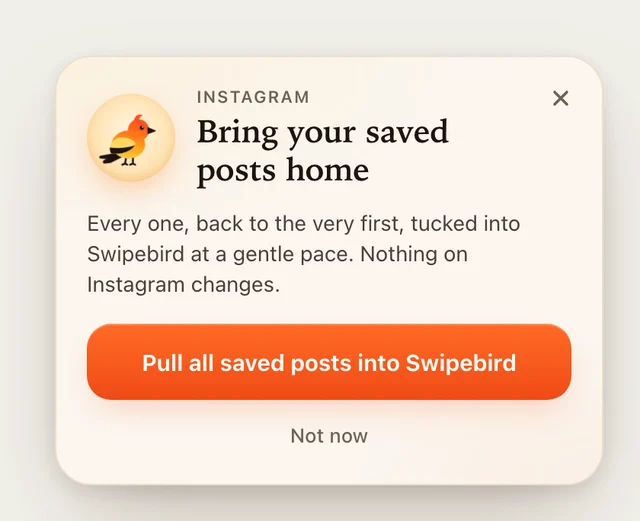
- Open instagram.com/your-username/saved/ in Chrome with the extension installed and signed in. If you land on collections, it moves to All posts for you.
- Click "Pull all saved posts into Swipebird". It scrolls at a human pace and keeps the link, the cover image and the caption text Instagram shows on the page.
- Come back and click "Catch up" to add only what is new. Nothing is saved twice.
The extension does not like, unsave or change anything on your Instagram account, and it never asks for your Instagram password. On iPhone, you can also send a post or reel straight to Swipebird from Instagram's share menu.
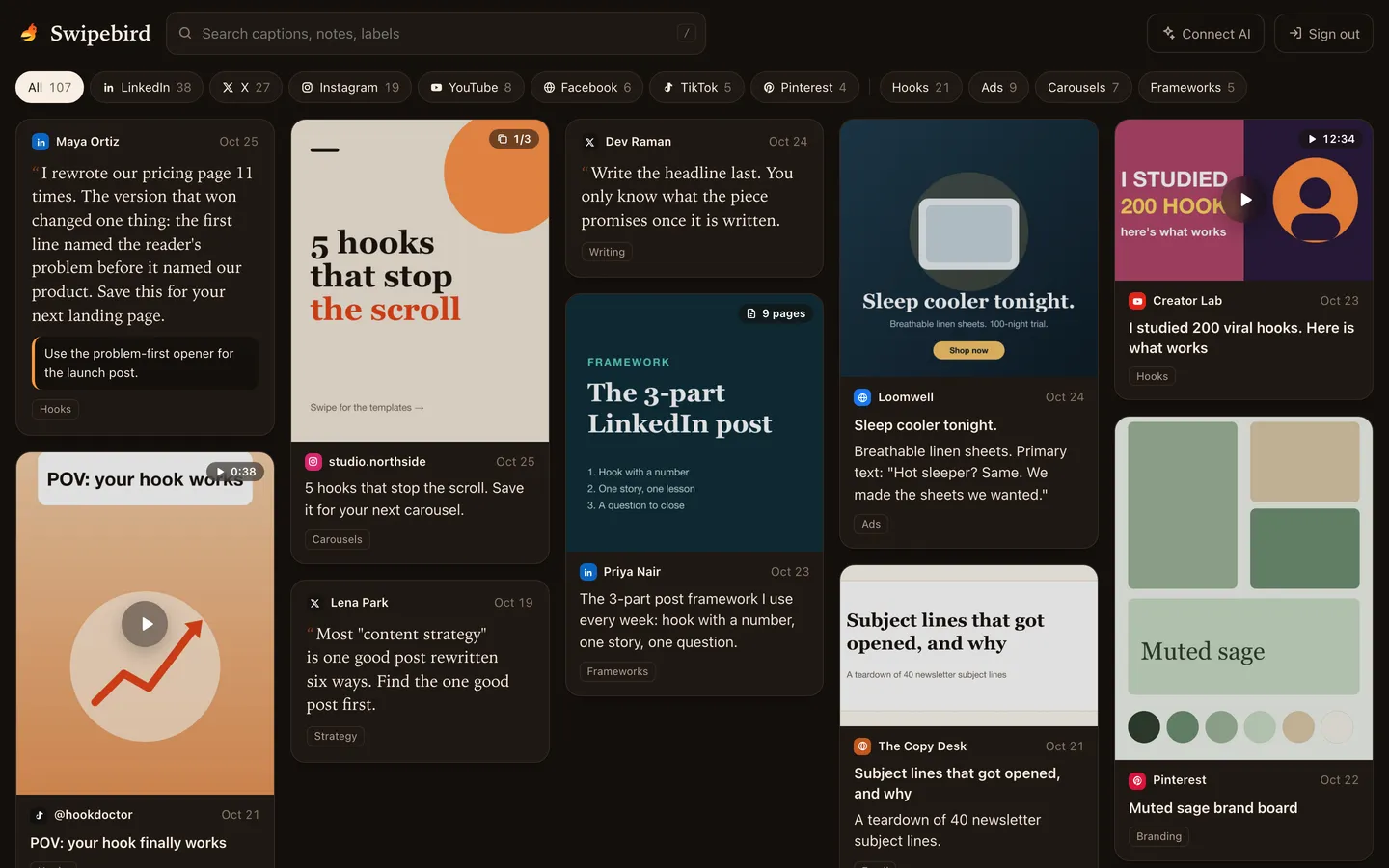
Add labels and notes in the iPhone app (why you saved it is the part you will forget), then search all of it from one box. Connect Claude, ChatGPT or Cursor through the AI connector and your swipe file becomes something you can ask:
Search my Swipebird saves from Instagram for reels and carousels about [topic]. Pick the five strongest, say what makes each one work, and suggest three ideas for my own account.
Find the Instagram carousels I saved in Swipebird with the label "design". Describe the layouts they share so I can send a short brief to my designer.
Instagram saved posts FAQ
Can I see my saved posts on Instagram web?
Yes. Open your profile on instagram.com and choose Saved, or go to instagram.com/your-username/saved/.
How do I save an Instagram video?
Tap Save below it, or for a reel tap Options, then Save. That keeps it in Instagram. To keep a file, use the official Download option where the creator allows it.
Can everyone see your saved posts on Instagram?
No. Only you can see them, unless you put them in a collaborative collection.
Can someone see if I save their post on Instagram?
No. Instagram says they are not able to tell. Creators only see a total save count in insights.
Is there a way to organize saved posts on Instagram?
Yes, with collections. Tap and hold Save to choose a collection, or tap New collection on your Saved page.
Can I see my saved posts oldest to newest?
Instagram's help pages describe no sort option for Saved. Importing your saves into Swipebird lets you filter by platform and label and search the captions.
Why are my Instagram saved posts not showing?
Check you are in the right account, then open All posts rather than a collection. Posts that the creator deleted, archived or made private drop out of the list.
Can I save a reel without the watermark?
Only your own, by keeping the original file before you post. Reels downloaded from other accounts carry the creator's username, which keeps their credit attached.

Social content strategist. Junaid has written about LinkedIn strategy for more than 3 years, reached 1.1M impressions on X in about 10 weeks, and publishes the Hooked on LinkedIn newsletter.
Steps in this guide are checked against Instagram Help, quoted word for word where it matters. Where Instagram is silent, we name the source. Spotted a change? Email [email protected].
Sources
- Instagram Help: Save posts you see on Instagram (saving, Saved path, privacy).
- Instagram Help: Create a collection for posts you save.
- Instagram Help: Review and export your information.
- TechCrunch: Instagram now allows anyone to download public reels (22 November 2023).
- Theodore HQ: What Instagram's export includes for saved posts.
- Stashr: Exporting Instagram data.
- Marqly: Export Instagram saved posts.