 Swipebird
Twitter Bookmarks (X): How to Find, Search and Export Them
Bookmarks are the quiet way to keep a great post on X. Finding one again is harder: the list is one long scroll, folders cost money, and there is no export button. Here is how each part works today and how to get around the gaps.
- Web: click Bookmarks in the left menu, or open x.com/i/bookmarks.
- iPhone: open the side menu; Bookmarks now sits under History (renamed in May 2026).
- Android: open the side menu from your profile picture and tap Bookmarks.
Where are bookmarks on X?
The list is the same everywhere. Only the door to it differs by device, and on iPhone the door changed name this year.
- WebLeft menuBookmarks
- iPhone (since May 2026)Side menuHistoryBookmarks tab
- AndroidSide menuBookmarks
On iPhone: the History tab
In May 2026 X renamed the Bookmarks item in the iPhone app's side menu to History. It now holds four tabs: Bookmarks, Likes, Videos and Articles. Bookmarks and Likes are things you chose to keep; Videos and Articles fill up from what you watched or read.
"The History section remains private to you."Sarah Perez, TechCrunch, 13 May 2026
TechCrunch reported the change as iPhone first. If your Android app or the web still says Bookmarks, that is expected.
On the web and Android
On x.com, Bookmarks is in the left menu. On Android, tap your profile picture to open the side menu, then tap Bookmarks.
How do I add or remove a bookmark?
- Open the post you want to keep.
- Tap the Bookmark icon under the post. X confirms it and offers a link to view all your bookmarks.
- To remove one, tap the Bookmark icon again on the post inside your Bookmarks timeline.
X also lets you clear everything at once from the more icon at the top of the Bookmarks timeline. There is no undo, so move your bookmarks somewhere safe first.
Can anyone see your bookmarks? Does the author know?
"No, Bookmarks are private and are only viewable to you within your X account."X Help Center, About Bookmarks
The author is not told who bookmarked their post. Posts show a bookmark count next to likes and reposts, but it is a total, with no names behind it. Your likes are different: on your own profile they are hidden from others too, but the author of a post you like is notified.
How can I search my Twitter bookmarks?
On the web, the Bookmarks page has a search field at the top. It matches exact words in the bookmarked posts, which works when you remember a phrase and fails when you only remember the idea. Android users have reported that the search field is not there for them.
Sorting is not an option at all: bookmarks come newest first. If you want "every post about pricing I saved this year", you need either folders (paid, see below) or your own library.
A workaround that costs nothing: on a computer, scroll your Bookmarks page down for a while so more posts load, then use your browser's find command (Ctrl + F or Cmd + F). It only searches what has loaded, but it searches names and handles too.
Bookmark folders: what they are and what they cost
Folders let you file a bookmark under a name such as Hooks or Threads to study. They are a paid feature. X's help page lists bookmark folders in its cheapest subscription tier:
"Basic: Includes essential Premium features like editing posts, longer posts and longer video uploads, reply prioritization, text formatting, bookmark folders, custom app icons, and more."X Help Center, About X Premium
Basic bookmarking stays open to every account. Only folders sit behind the subscription. Also note that each bookmark goes into one folder, and folders do not help you search inside the posts.
Why old bookmarks go missing
Three things usually explain it:
- The post was deleted or the account went private or was suspended. Your bookmark pointed at the post, so it disappears with it.
- The timeline stops loading. Many people report that the Bookmarks page stops scrolling after several hundred bookmarks, so older ones seem gone even though they were never removed. X does not publish a limit, so treat any exact number you read online as a guess.
- You are in another account. Bookmarks belong to one account and do not follow you between them.
The only protection against the first two is to keep your own copy while the posts are still visible. An export of links will not help here, because the links die with the posts.
How to export your X bookmarks
What X gives you
There is no export button on the Bookmarks page. X's account archive is the closest thing, but its help page lists what is inside (your posts, Direct Messages, media, followers, accounts you follow, Lists and more) and bookmarks are not named. The archive can also take a few days to prepare.
The X API
Developers can read bookmarks through the official Bookmarks endpoints, which also cover folders. You need a developer account and the API is billed per request, so check current rates in the X Developer Console before pulling a large list. For most people that is more setup than the job needs.
Browser extensions
Several Chrome extensions export bookmarks to a CSV or JSON file by reading the page while you are signed in. Before you install one, check what it asks for. An extension that can "read and change all your data on all websites" sees far more than your bookmarks.
| Option | Bookmarks included | Setup | Searchable by words |
|---|---|---|---|
| Account archive | Not listed by X | Request, wait a few days | No |
| X API | Yes, and folders | Developer account, billed per request | Only what you build |
| Export extensions | What the page loads | Install, check permissions | A file, not a search |
| Swipebird | What the page loads | Install, one click | Text, notes and labels |
Import them into Swipebird
Swipebird's Chrome extension only runs on the sites it supports. When you open your Bookmarks page (or the History tab on the web), it offers to bring them in.
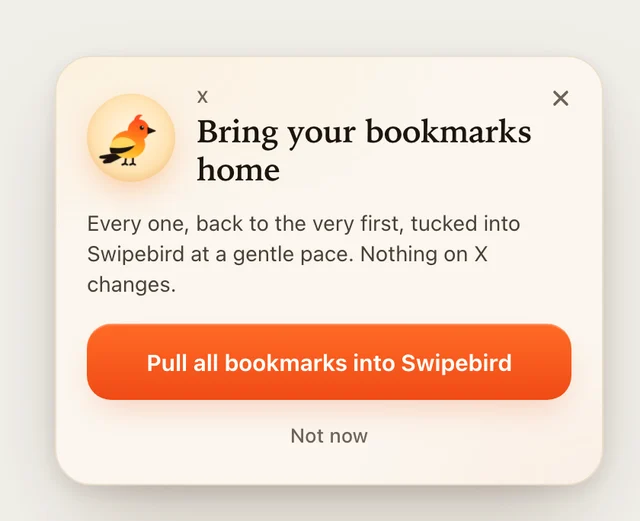
- Open x.com/i/bookmarks in Chrome with the extension installed and signed in.
- Click "Pull all bookmarks into Swipebird". It scrolls at a human pace and keeps the full post text, the author, the link and the photos or video cover.
- Next time, click "Catch up". It adds only new bookmarks and stops when it reaches ones you already have. Nothing is saved twice.
The extension reads only what X shows you on that page. It does not bookmark, like or post anything, and it never asks for your X password. If X's own page stops loading older bookmarks, the extension cannot see them either, which is one more reason to import early and catch up often.
Keep every save in one searchable library
If you also save posts on LinkedIn or Instagram, Swipebird keeps those in the same library, so one search covers all of them.
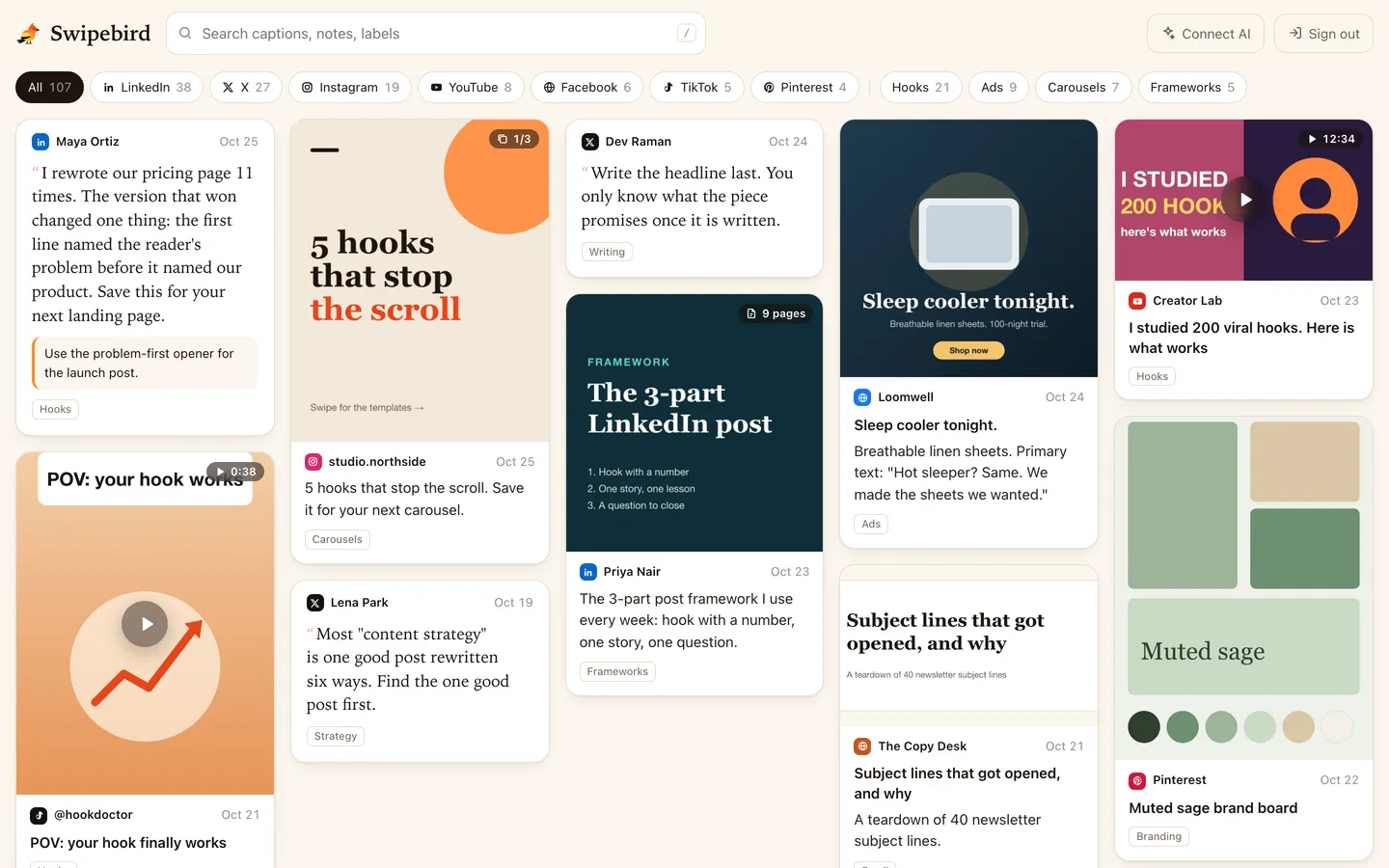
Connect Claude, ChatGPT or Cursor through the AI connector and ask in plain words:
Search my Swipebird saves from X for anything about pricing or packaging. Summarize the five most useful points and link each post.
Find the threads I bookmarked in Swipebird and break down how the first tweet of each one hooks the reader. Then draft three openers for a thread about my topic: [topic].
Go through my 50 most recent X saves in Swipebird and add one label to each: hooks, threads, data, design or tools.
X bookmarks FAQ
What does bookmark mean on X?
A bookmark is a private save. It keeps a post in a list only you can see, without liking or reposting it.
Can anyone see my bookmarks on X?
No. X says bookmarks are private and only viewable to you. Authors see a total bookmark count, never names.
Can someone see if I bookmark their post?
No. They see that the count went up, not who added to it.
Where can I see my likes on X?
On your profile under the Likes tab. On iPhone, likes also appear in the History tab next to Bookmarks.
Is there a way to sort Twitter bookmarks?
No. They appear newest first. Folders (paid) group them; Swipebird lets you filter by platform and label and search the text.
Is there a limit to how many bookmarks I can have?
X does not publish one. Users report the timeline stops loading older bookmarks after several hundred, which works like a limit in practice.
Did X put bookmarks behind a paywall?
Not basic bookmarking. Folders are the paid part, included from the Basic tier of X Premium.
Can I export Twitter bookmarks?
There is no export button, and X does not list bookmarks among the contents of its account archive. Use the API, an extension, or import them into Swipebird.

Social content strategist. Junaid reached 1.1M impressions on X in about 10 weeks and has written about LinkedIn strategy for more than 3 years. He publishes the Hooked on LinkedIn newsletter.
Facts here are checked against X's Help Center and developer docs, linked below. Where X is silent, the guide says so. Spotted a change? Email [email protected].
Sources
- X Help Center: About Bookmarks (adding, removing, privacy).
- X Help Center: About X Premium (bookmark folders in Basic).
- X Help Center: How to download your X archive (archive contents).
- X Developer Platform: Bookmarks endpoints.
- TechCrunch: X launches a History tab for bookmarks, likes, videos and articles (13 May 2026).
- ContextBolt: How to find bookmarks on X (bookmark search by platform).