 Swipebird
Ad Swipe File: How to Collect, Label and Use Ads That Work
An ad swipe file is a library of ads you have studied and kept: the hooks, angles, offers and formats that made you stop. Ad libraries show you what competitors are running today. A swipe file is different: it is your curated, labelled set of examples, plus the organic posts that could become your next ad. This guide shows where to find ads, what to save, how to label them, and how to brief new creative from the file.
An ad swipe file is a collection of ads, and ad worthy organic posts, saved with notes on why they work. To build one:
- Find ads in the free ad libraries (Meta, LinkedIn, TikTok, Google) and in your own feeds.
- Save each one with its copy and image, not only a screenshot or a link.
- Label by angle, hook and format, so you can pull "pain point hooks on video" in seconds.
- Brief from three examples at a time, never one.
What an ad swipe file is
A swipe file is a collection of proven work you keep as a reference. An ad swipe file narrows that to advertising: paid social ads, search ads, video ads, landing pages and the organic posts that sell without a budget.
The value is speed and judgment. When a new campaign starts, you do not begin with a blank page or a vague "make it pop". You open the file, pull the examples that match the job, and brief from patterns that already worked on real people.
Where to find ads worth saving
| Source | What you see | Best for |
|---|---|---|
| Meta Ad Library | Active ads across Facebook, Instagram and Meta's other apps, searchable by advertiser or keyword | Seeing every live variant a competitor runs |
| LinkedIn Ad Library | Ads run on LinkedIn, searchable by advertiser, keyword and country | B2B offers, lead magnets and thought leadership ads |
| TikTok Creative Center | Top performing TikTok ads, filterable by industry and region | Hooks and pacing for short video |
| Google Ads Transparency Center | Search, display and YouTube ads by advertiser | Headline and offer wording |
| Your own feeds | Sponsored posts targeted at you | Ads aimed at someone like your buyer |
A useful signal in any library: an ad that has been running for a long time, or one with many variants, is usually one the advertiser keeps paying for. That is a hint it works, not proof.
The gap: organic posts that should be ads
Ad libraries only show what someone already paid to promote. Some of the best ad ideas never appear there: they are organic LinkedIn posts, X threads, Instagram reels and TikToks that pulled huge engagement with no budget at all. Those posts have already been tested on a real audience, for free.
Media buyers and founders who keep these next to their paid examples get two things: proof that an angle resonates before spending on it, and creative formats that feel native in the feed rather than polished and skippable. When you scroll past a post that made you stop, save it to the same file as your ads and label it organic winner.
What to save from each ad
A screenshot alone loses the most useful part: the copy you can search later. Save:
- The full copy: headline, primary text and call to action.
- The visual: the image or video cover, and the first three seconds if it is video.
- The source: the advertiser, the platform and the link back.
- The landing page it sends people to, saved as its own item.
- Your note: one line on why it caught you.
A labelling system for ads
Keep labels short and few. These four groups cover most needs:
Add a label for the industry when you work across clients, or keep one swipe file per client.
Building an ad swipe file with Swipebird
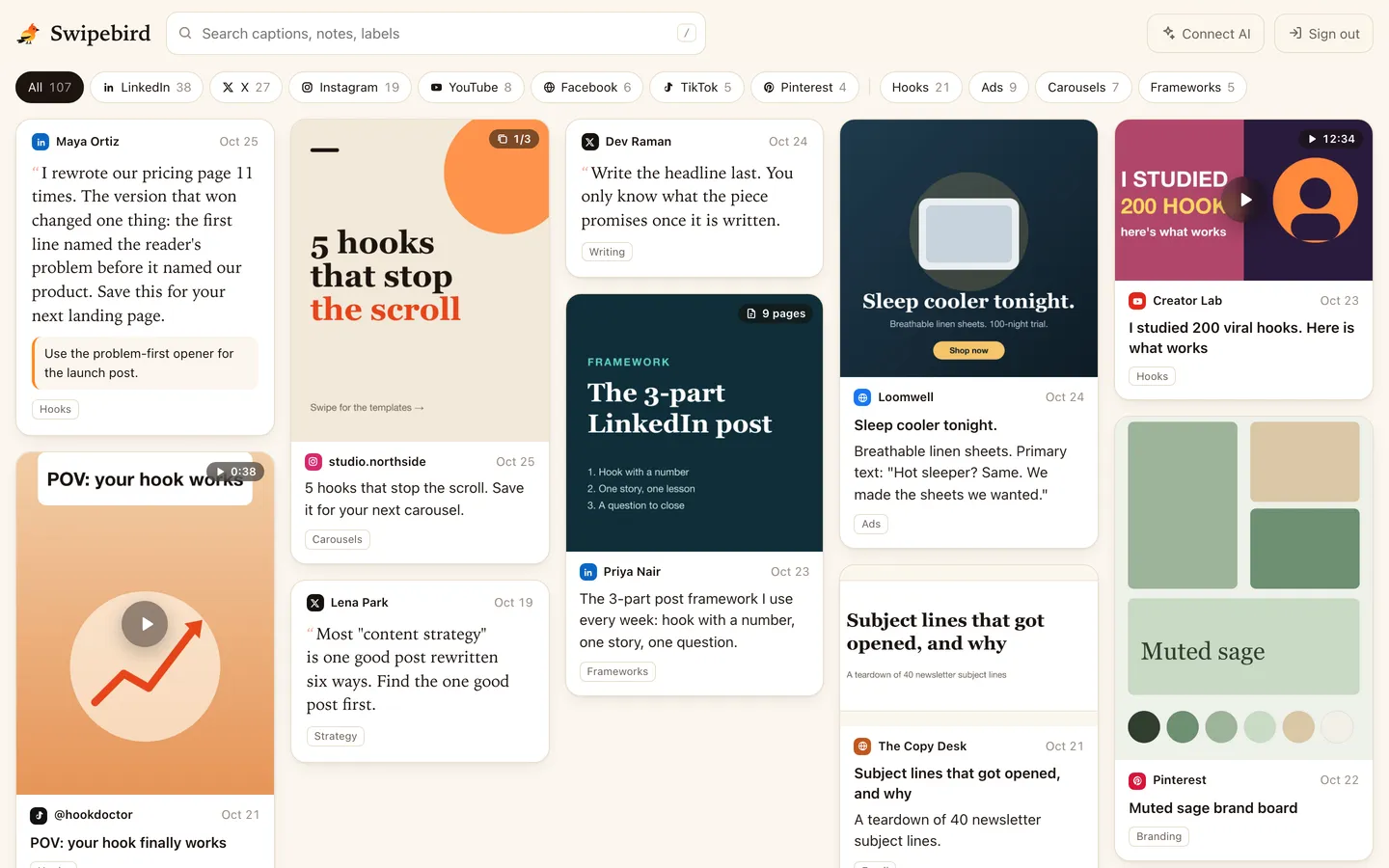
Swipebird is a swipe file for social posts and ads. It does not scrape ad libraries; you save the ads and posts you choose, the same way you save anything else.
- Save from your phone. On iPhone or Android, share any post, ad, link or screenshot to Swipebird from LinkedIn, Facebook, Instagram, TikTok, YouTube, X, Threads, Pinterest or Reddit.
- Save from Chrome. Right-click a page or link, use the side panel, or press Alt + Shift + S. Ad library pages and landing pages save like any web page.
- Bring in your organic winners. Import your LinkedIn saved posts, X bookmarks and Instagram saves with the Chrome extension, no duplicates.
- Label and search. Add labels and notes, then search every word across copy, authors, notes and labels.
- Share a swipe file. With Pro, turn a label into a public swipe file anyone can browse from one link, handy for sharing a batch of references with a designer or client.

From swipe file to creative brief
- Start from the job. "Cold traffic, objection: too expensive, format: UGC video."
- Pull three to five examples with matching labels.
- Name the shared pattern. What do the hooks have in common? What proof do they show, and when?
- Write the brief around the pattern, with your product, your proof and your offer.
- Save your own results back. Your winning ads, labelled, make the file better every month.
With Swipebird Pro, the AI connector lets Claude or ChatGPT do steps two and three for you:
Search my Swipebird saves labelled "ads" for examples that answer the objection "too expensive". Group them by hook type, explain what each group does, then write three hook options for our next video ad using the strongest pattern.
Ad swipe file FAQ
What is an ad swipe file?
A collection of ads, and ad worthy organic posts, that you save with notes on why they work, so you can brief new creative from proven patterns instead of a blank page.
Where can I find winning ads?
The Meta Ad Library, LinkedIn Ad Library, TikTok Creative Center and Google Ads Transparency Center are free to browse. Ads that run for a long time or have many variants are often the ones that work.
How is a swipe file different from an ad library?
An ad library shows what is running now, unfiltered. A swipe file is your own curated set, labelled by angle, hook and format, including organic posts that never ran as ads.
How do I organize an ad swipe file?
Use a few label groups: angle, hook type, format and funnel stage. Add a one line note on why each ad works, and keep one file per client if you run several accounts.
Can I save Facebook and Instagram ads to Swipebird?
Yes. Share the post or its link to Swipebird from your phone, or save the ad library page or landing page from Chrome. Swipebird keeps the text, author and image that go with the link.
Is it OK to copy competitors' ads?
Study them, do not copy them. Borrow the structure or angle, then write with your own product, proof and voice. Copying another brand's copy or creative can also break platform rules and trademark law.
Does Swipebird pull ads from ad libraries automatically?
No. Swipebird saves the ads, pages and posts you choose to save. It imports your own LinkedIn, X and Instagram saves, not ad library results.

Social content strategist. Junaid reached 1.1M impressions on X in about 10 weeks and has written about LinkedIn strategy for more than 3 years. He publishes the Hooked on LinkedIn newsletter.
Swipebird features described here were checked in the current apps. Facts about other products come from their own pages, linked below. Spotted a change? Email [email protected].
Sources
- Meta Ad Library: www.facebook.com/ads/library
- LinkedIn Ad Library: www.linkedin.com/ad-library
- TikTok Creative Center: ads.tiktok.com/business/creativecenter
- Google Ads Transparency Center: adstransparency.google.com