 Swipebird
Read It Later Apps: How to Pick One for What You Actually Save
A read it later app keeps the articles you find now so you can read them properly later, usually in a clean, ad free view. That job has not changed. What has changed is what people save: fewer long articles, far more LinkedIn posts, X threads, Instagram reels and YouTube videos. This guide explains how read later apps work, what to check before you pick one, and where a swipe file does the job better.
A read it later app saves an article from your browser or phone and lets you read it later, usually offline and in a clean view. Pick by what you save most:
- Long articles and newsletters: a reader app with a clean reading view, highlights and offline mode.
- Posts, threads, reels and ads you want to reuse: a swipe file that keeps each post and searches its words, such as Swipebird.
- A few links a week: your browser's own reading list is enough.
What a read it later app does
You find a good article at a bad moment, between meetings or on the train, so you save it to a queue and come back when you have time. Most read later apps do four things:
- Capture from a browser extension, a share sheet on your phone, or by email.
- Clean the page into a reading view without ads, pop ups or sidebars.
- Work offline, so a flight or a commute becomes reading time.
- Keep what you learned with highlights, notes and sometimes text to speech.
Your browser has a light version built in. Chrome has a Reading list in its side panel and Safari has one in the sidebar. They save the link and mark it read, which is enough if you save a handful of articles a week.
What happened to Pocket
Pocket was the best known read later app for more than a decade. Mozilla shut it down on July 8, 2025, and said user data would be deleted later that year. Millions of saved lists had to move somewhere, which is why "Pocket alternative" and "best read it later app" became busy searches.
If you were a Pocket user, the lesson is worth keeping: a list of links depends on the service that holds it and on every page still being online. Pick a tool that keeps a copy of what matters to you and lets you take it with you. Our Pocket alternative guide covers the move in more detail.
What to look for in a read it later app
| Check | Why it matters |
|---|---|
| Capture on every device | If saving takes more than one tap on your phone, you stop doing it. |
| What it keeps | A copy of the text survives a dead page. A bare link does not. |
| Search | Search by any word inside the saved item, not only the title. |
| Content types | Articles only, or posts, threads, videos and PDFs too? |
| Imports | Can it bring in what you already saved elsewhere? |
| Privacy | Does it need your passwords for other sites? It should not. |
| Getting it back out | Can your AI tools or other apps reach your saves when you need them? |
Which kind of tool fits what you save
Why social posts break read later apps
Read later apps assume a public article with a headline and a body of text. A social post is different in ways that matter:
- It is short. A LinkedIn post or an X thread takes a minute to read. You do not save it to read later, you save it to use later: a hook to study, a format to try, a stat to cite.
- It sits behind a login. A reader that fetches the page from its own servers often gets a login wall instead of the post.
- It is already saved somewhere else. Your best saves are inside LinkedIn's Saved items, X's Bookmarks and Instagram's Saved collections. A new app that starts from zero leaves them there.
- It disappears. Authors delete posts and accounts go private. Without a copy, the save is gone.
That is why people who save mostly posts end up with three or four lists and no way to search across them. What they need is a way to find one exact post again on the day they sit down to write, and that is the job of a swipe file.
Swipebird: a save it later app for posts and links
Swipebird is not a reading app. It has no reader view, highlights or text to speech, and if your queue is mostly long essays, a reader is built for that job. Swipebird is built for everything else you save while scrolling.
- Imports your existing saves. With the Chrome extension, open your LinkedIn saved posts, X bookmarks or Instagram saved page and click Pull all. It copies what the page shows you and skips anything you already have.
- Saves anything in one action. Share a post, video, link, screenshot or text to Swipebird on iPhone or Android. In Chrome, use the side panel, the right-click menu or Alt + Shift + S.
- Keeps the post. Text, author and image stay with the save, so it is still readable if the original is deleted.
- Searches every word across captions, authors, notes and labels, with filters by platform and favourites.
- Works with no account. Saves stay on your device. Swipebird Pro adds sync across your phone, browsers and the web app, shareable swipe files and the AI connector for Claude, ChatGPT and Cursor.
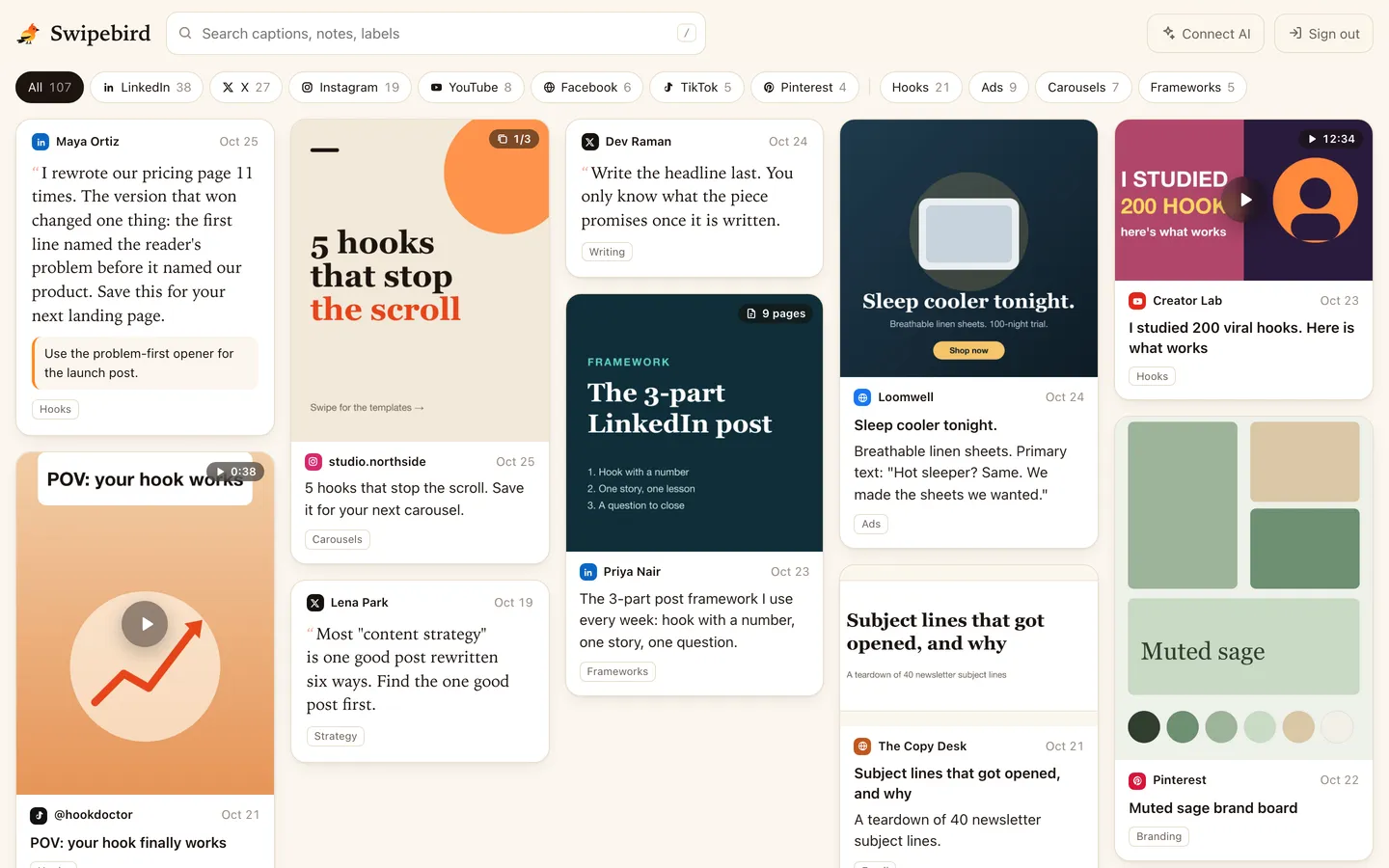

Many people use both: a reader for the long reads, and Swipebird for the posts and links they want to reuse.
A read later habit that sticks
The common failure with any read later app is the same: the queue grows to hundreds of items and you stop opening it. A few rules keep it useful.
- Save with a reason. Add one line on why: "pricing idea", "great hook", "reply to this". It takes three seconds and makes the save findable.
- Split reading from reusing. Long reads go to a reading queue. Posts, ads and examples go to your swipe file, where search matters more than order.
- Book the time. Fifteen minutes twice a week beats a vague plan to "catch up".
- Prune without guilt. If an article has sat unread for a month, archive it. If it mattered, it will come back.
- Let your AI do the digging. With Swipebird's AI connector, ask "what did I save about onboarding emails" and get the posts back with their text.
Read it later FAQ
What is a read it later app?
An app that saves articles and links from your browser or phone so you can read them later, usually in a clean view without ads and often offline.
What is the best read it later app?
It depends on what you save. For long articles and newsletters, choose a reader with a clean view, highlights and offline mode. For LinkedIn posts, X threads, Instagram reels and ads you want to reuse, a swipe file such as Swipebird fits better because it imports your platform saves and searches the post text.
Is Pocket still available?
No. Mozilla shut Pocket down on July 8, 2025 and said user data would be deleted later in 2025.
Does Chrome have a read later feature?
Yes. Chrome's Reading list lives in the side panel. Open a page, add it to the Reading list, and it stays there until you mark it read. It has no search inside articles and no folders.
Can I save social media posts to read later?
You can save the link in any read later app, but posts behind a login often save as an empty card. Swipebird keeps the post's text, author and image, and can import the posts you already saved on LinkedIn, X and Instagram.
Is Swipebird a read it later app?
Not in the classic sense. It has no reader view or highlights. It is a swipe file for the posts, videos and links you save to reuse, with search across every word.
Do read later apps work offline?
Most dedicated reader apps download articles for offline reading. Swipebird's search runs offline in the Chrome extension, because your saves are stored in the browser.
How do I stop my read later list from piling up?
Save with a one line reason, split long reads from things you want to reuse, book two short reading slots a week and archive anything unread after a month.

Social content strategist. Junaid reached 1.1M impressions on X in about 10 weeks and has written about LinkedIn strategy for more than 3 years. He publishes the Hooked on LinkedIn newsletter.
Swipebird features described here were checked in the current apps. Facts about other products come from their own pages, linked below. Spotted a change? Email [email protected].
Sources
- Mozilla, Pocket shutdown notice: support.mozilla.org/en-US/kb/future-of-pocket
- Wikipedia, Pocket (service): en.wikipedia.org/wiki/Pocket_(service)